Every growing business eventually collides with the same wall: the systems that got you here are actively preventing you from getting to the next level.
Your finance team is living in spreadsheets. Your operations manager can’t see inventory in real time. Sales is running a CRM that doesn’t talk to your fulfillment system. And leadership is making decisions based on data that’s already three days old by the time it lands in the boardroom.
This is the exact problem that business management software was built to solve — and why more than 80% of mid-market companies now list digital operations infrastructure as a top-five strategic priority.
This guide explains what business management software is, how it differs from point solutions, what types exist for different operational contexts, which features actually move the needle, and how to evaluate platforms before you commit to one.
What Is Business Management Software?
Business management software is an integrated category of enterprise applications designed to unify, automate, and optimize the core operational functions of a business — including finance, human resources, supply chain, sales, customer relationship management, and project delivery — within a single connected system or a coordinated software ecosystem.
Unlike standalone productivity tools or departmental applications, business management software is built around a centralized data architecture. Every module — whether it’s accounts payable, inventory tracking, or employee onboarding — reads from and writes to the same underlying data layer. This eliminates information silos, reduces manual data transfer, and creates a single source of truth that the entire organization can trust.
The term is often used interchangeably with ERP software (Enterprise Resource Planning), though business management software is the broader category. ERP is a specific class of business management software that integrates back-office functions. Business management software also encompasses CRM platforms, HRMS solutions, supply chain management systems, business intelligence tools, and project management software — either as standalone platforms or as modular components within a unified suite.
The Core Problem Business Management Software Solves
Before integrated software existed, businesses managed operations through a combination of disconnected systems: one vendor for accounting, another for inventory, a third for payroll. This created fragmented data ecosystems where information had to be manually reconciled between systems — a process that was slow, error-prone, and opaque.
Business management software solves the data fragmentation problem by replacing that patchwork of disconnected tools with an integrated platform where:
- A sales order automatically updates inventory levels
- A new hire record in HR triggers payroll setup without manual entry
- A change in raw material costs instantly recalculates product margins
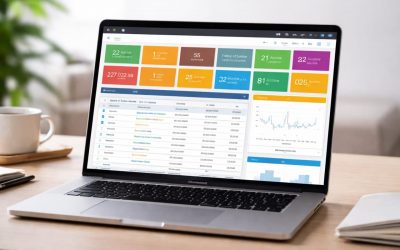
- Leadership can view real-time KPIs across every function from a single dashboard
The result is operational coherence — the ability to run a business as a single interconnected system rather than a collection of competing departments.
How Business Management Software Works
At its technical core, business management software operates through three architectural layers:
1. The Data Layer A centralized relational database (or, in modern cloud-native platforms, a distributed cloud database) stores all business data — financial records, customer information, employee data, inventory positions, transaction histories. Every module in the system accesses this shared data store, ensuring consistency across functions.
2. The Application Layer This is where the functional modules live — accounting, CRM, HRM, supply chain, and so on. Each module handles a specific business process but exchanges data with every other module in real time. An inventory module, for instance, receives demand signals from the sales module and sends reorder data to the procurement module automatically.
3. The Presentation Layer Role-based dashboards, reports, and interfaces that surface the right data to the right user. A warehouse manager sees inventory levels and fulfillment queues. A CFO sees cash flow projections and variance analysis. An HR director sees headcount analytics and compliance alerts.
Modern business management platforms are increasingly delivered as cloud-based SaaS (Software-as-a-Service) applications, which removes the need for on-premise infrastructure, reduces IT overhead, and enables real-time updates without costly upgrade cycles.
Types of Business Management Software
Business management software is not a monolithic category. Different platform types serve different operational scopes, business sizes, and functional priorities. Understanding the landscape is the first step toward selecting the right solution.
1. Enterprise Resource Planning (ERP) Software
ERP software is the backbone of business management for mid-market and enterprise companies. An ERP system integrates all core back-office functions — finance, accounting, procurement, inventory, manufacturing, and supply chain — into a single unified platform.
What ERP software manages:
- General ledger, accounts payable, and accounts receivable
- Purchase orders, vendor management, and procurement workflows
- Inventory management and warehouse operations
- Manufacturing planning and production scheduling (for product companies)
- Supply chain visibility and logistics coordination
- Financial reporting and regulatory compliance
ERP platforms are characterized by their process automation depth. A properly configured ERP system can automate the entire procure-to-pay cycle, the order-to-cash cycle, and the record-to-report cycle — eliminating thousands of manual touchpoints across an organization.
Leading ERP vendors include SAP S/4HANA, Oracle NetSuite, Microsoft Dynamics 365, and purpose-built platforms like BusinessManERP that are designed specifically for the operational complexity of B2B businesses.
Who needs ERP software: Companies with multi-department operations, complex supply chains, manufacturing requirements, or regulatory reporting obligations in sectors like manufacturing, distribution, professional services, and wholesale trade.
2. Customer Relationship Management (CRM) Software
CRM software manages the front-office relationship between a business and its customers — from lead generation and opportunity management through to contract execution, account management, and renewals.
What CRM software manages:
- Lead capture, scoring, and pipeline management
- Contact and account record management
- Sales activity tracking and forecasting
- Customer communication histories (email, call, meeting logs)
- Contract and proposal management
- Customer success workflows and renewal management
In a fully integrated business management environment, CRM data connects directly to ERP and financial data. A sales representative closing a deal in the CRM can automatically trigger a customer onboarding workflow, create an invoice in the accounting module, and update revenue forecasts in the financial planning system — without manual handoffs between teams.
Standalone CRM platforms include Salesforce, HubSpot, and Zoho CRM. Integrated suites include CRM modules within Microsoft Dynamics 365, SAP CX, and ERP-first platforms that have native CRM capability.
3. Human Resource Management Software (HRMS / HCM)
Human resource management software — also called HCM (Human Capital Management) — governs the entire employee lifecycle from recruitment through separation, including workforce planning, payroll, benefits administration, performance management, and compliance.
What HRMS software manages:
- Applicant tracking and recruitment workflows
- Employee onboarding and offboarding
- Payroll processing and tax compliance
- Time and attendance tracking
- Benefits enrollment and administration
- Performance review cycles and goal management
- Learning management and employee development
- HR compliance and labor law reporting
In integrated business management platforms, HRMS data connects directly to financial planning tools — enabling workforce cost modeling, headcount variance analysis, and real-time budget-to-actual comparisons on labor spend.
4. Supply Chain Management (SCM) Software
Supply chain management software provides end-to-end visibility and control over the flow of goods, materials, and information from raw material sourcing through manufacturing to customer delivery.
What SCM software manages:
- Supplier relationship management and vendor qualification
- Purchase planning and demand forecasting
- Inventory optimization and safety stock modeling
- Warehouse management and order picking workflows
- Logistics coordination and carrier management
- Inbound and outbound freight tracking
- Returns management and reverse logistics
Supply chain disruptions — from material shortages to logistics delays — have dramatically elevated the strategic importance of SCM software in recent years. Modern supply chain platforms use predictive analytics and machine learning algorithms to anticipate disruptions before they impact production or fulfillment.
5. Financial Management Software
Financial management software handles the accounting, reporting, budgeting, and compliance functions that govern a company’s financial health. It is distinct from general accounting software in that it is built for business-scale financial operations — multi-entity consolidation, multi-currency transactions, project-based accounting, and regulatory compliance across jurisdictions.
What financial management software manages:
- General ledger and chart of accounts management
- Accounts payable and receivable automation
- Fixed asset management and depreciation
- Cash flow management and treasury operations
- Budget creation, allocation, and variance tracking
- Financial consolidation for multi-entity businesses
- Tax management and regulatory reporting (IFRS, GAAP compliance)
- Revenue recognition (ASC 606 / IFRS 15)
Distinction from accounting software: Basic accounting tools like QuickBooks or Xero are designed for small business bookkeeping. Financial management software within a business management platform is designed for operational finance at scale — handling intercompany eliminations, project costing, multi-dimensional reporting, and audit-ready financial records.
6. Project Management Software (Enterprise-Grade)
Enterprise project management software goes beyond task lists and Gantt charts. When integrated into a business management platform, it connects project delivery to financial performance — tracking labor costs, resource utilization, billing milestones, and project profitability in real time.
What enterprise project management software manages:
- Project planning, scheduling, and resource allocation
- Milestone tracking and deliverable management
- Time and expense capture against project budgets
- Project profitability and earned value analysis
- Client billing and invoice generation from project records
- Portfolio management across multiple concurrent projects
For professional services firms, consulting companies, and project-based manufacturers, this integration between project execution and financial management is not a nice-to-have — it is the operational core of the business.
7. Business Intelligence (BI) and Analytics Software
Business intelligence software transforms raw operational data into actionable insights — through dashboards, reports, trend analysis, and predictive modeling. In the context of business management software, BI tools serve as the analytical layer that sits across all operational modules.
What BI software provides:
- Real-time operational dashboards for every business function
- Custom report building and scheduled report distribution
- KPI tracking against targets and historical benchmarks
- Trend analysis and pattern recognition across datasets
- Predictive analytics for demand, revenue, and risk modeling
- Self-service data exploration for non-technical users
Modern business management platforms embed BI functionality natively, so finance teams can pull cash flow forecasts, operations managers can monitor fulfillment rates, and executives can track company-wide performance — all from within the same system.
Key Features of Business Management Software
Regardless of the platform type or deployment model, high-performing business management software shares a common set of functional and technical characteristics. These are the features that separate enterprise-grade platforms from glorified spreadsheets.
Unified Data Architecture
The single most important feature of any business management platform is its data model. A genuine integrated system maintains one master record for each entity — one customer record, one product record, one vendor record — that all modules access. Platforms that “integrate” by syncing data between separate databases are not truly unified and will create reconciliation problems at scale.
Real-Time Process Automation
Business management software should automate cross-functional workflows — not just individual tasks. The procure-to-pay process, for instance, should flow from purchase requisition through vendor selection, PO creation, goods receipt, invoice matching, and payment approval without manual data re-entry between steps. The same applies to order-to-cash, hire-to-retire, and plan-to-produce processes.
Role-Based Access Control (RBAC)
Enterprise-grade systems implement granular permissions that control what data each user can see and what actions they can take — by role, department, entity, or geography. This is essential for both operational security and regulatory compliance (SOX, GDPR, and similar frameworks require demonstrable access controls over financial and personal data).
Multi-Entity and Multi-Currency Support
For businesses operating across multiple legal entities, subsidiaries, or geographies, the platform must natively handle intercompany transactions, consolidated financial reporting, multi-currency accounting, and entity-level segmentation — without requiring manual consolidation work.
Configurable Workflows
No two businesses run identical processes. The best business management platforms provide configurable workflow engines that allow administrators to define approval routing, escalation rules, notification triggers, and conditional logic — without requiring custom code development.
Native Reporting and Dashboards
Reporting should be embedded in the platform — not an afterthought that requires exporting data to Excel. Look for platforms that offer pre-built report libraries for standard business metrics, self-service report builders for custom needs, scheduled report distribution, and executive dashboards with drill-down capability.
Audit Trails and Compliance Logging
Every transaction, change, and approval should be logged with timestamp, user identity, and before/after data values. This audit trail capability is essential for financial audits, regulatory inspections, and internal control testing.
API and Integration Framework
Even the most comprehensive platform will need to connect to specialized external systems — EDI trading partners, e-commerce platforms, bank feeds, payroll processors, or industry-specific tools. Evaluate the breadth of native integrations and the quality of the API (REST APIs, webhooks, and pre-built connectors are the modern standard).
Mobile Accessibility
Field teams, executives, and remote workers need access to operational data outside the office. Look for platforms with native mobile applications (not just mobile-responsive web interfaces) that support approval workflows, real-time reporting, and operational actions from iOS and Android devices.
Scalability Architecture
The platform should be architected to grow with your business — handling increasing transaction volumes, additional users, new entities, and expanded modules without performance degradation or architectural re-platforming.
Benefits of Business Management Software
The business case for integrated business management software operates across four dimensions:
Operational efficiency: Automating manual data entry, reconciliation, and process handoffs eliminates non-value-added labor and reduces error rates. Companies implementing integrated ERP systems report an average 20–30% reduction in process cycle times across core business operations.
Decision-making quality: When leadership has access to real-time, cross-functional data through unified dashboards, decisions are made on current facts rather than stale reports. This is particularly valuable in supply chain disruptions, financial close processes, and sales pipeline reviews.
Compliance and risk management: Automated audit trails, access controls, and built-in compliance workflows reduce the risk of regulatory violations and financial misstatement. For businesses subject to SOX, GDPR, ISO standards, or industry-specific regulations, integrated software is often the foundation of the compliance program.
Scalability: A company running on disconnected spreadsheets and point solutions hits operational ceilings quickly. Integrated business management software provides the infrastructure to support business growth — adding headcount, entering new markets, onboarding new customers — without proportional increases in back-office overhead.
Industry-Specific Applications
Business management software is not a generic tool. Leading platforms are designed with industry-specific modules, workflows, and compliance frameworks built in for the sectors they serve.
Manufacturing: Production planning, bill of materials management, shop floor control, quality management, and manufacturing execution system (MES) integration.
Distribution and Wholesale: Warehouse management, EDI connectivity with trading partners, multi-location inventory optimization, and freight management.
Professional Services: Project-based accounting, resource management, utilization tracking, billing rate management, and client portal functionality.
Construction: Job costing, subcontractor management, progress billing, retainage tracking, and project budget control.
Healthcare Administration: Revenue cycle management, credentialing, HIPAA-compliant data handling, and payer contract management.
Retail and E-Commerce: Multi-channel inventory management, point-of-sale integration, demand forecasting, and customer order visibility.
When evaluating platforms, the depth of industry-specific functionality matters as much as the breadth of general features — because generic workflows that don’t match your industry’s operating model require expensive customization or workarounds.
How to Choose Business Management Software
Selecting a business management platform is one of the most consequential technology decisions a company will make. The wrong choice leads to failed implementations, poor adoption, and systems that the business works around rather than within. The right choice becomes a competitive advantage.
Here is the evaluation framework that consistently produces successful selection outcomes:
Step 1: Define Your Operational Scope
Before evaluating any vendor, document the functional scope of what you need the system to manage. Which business processes will be in scope? Which departments will use the platform? Which data flows currently require manual intervention that needs to be automated?
Create a business requirements document that captures both current-state pain points and future-state operational goals. This document becomes the evaluation scorecard.
Step 2: Identify Your Non-Negotiables
Every business has hard requirements that immediately narrow the vendor field: industry-specific compliance requirements, multi-entity structure, geographic operations, integration dependencies, or data residency regulations. Establish these non-negotiables early and use them to create an initial longlist of qualified vendors.
Step 3: Evaluate Total Cost of Ownership (TCO)
Platform pricing — whether subscription-based SaaS or perpetual license — is only one component of total cost. The full TCO picture includes implementation services, data migration, user training, change management, ongoing administration, integration development, and annual maintenance. A platform with a lower headline price can easily carry a higher five-year TCO due to implementation complexity or high customization costs.
Step 4: Assess Implementation Readiness
The best software fails in a poorly managed implementation. Evaluate the vendor’s implementation methodology, the availability and quality of certified implementation partners, the average implementation timeline for businesses of your size, and the level of implementation support included in the contract. Ask for implementation case studies from businesses with similar scope and complexity to yours.
Step 5: Test in a Realistic Demo Environment
Generic software demos show you what the platform can do in ideal conditions. A meaningful evaluation involves a scripted demo based on your actual business processes — ideally using your data. Put your real workflows through the system. How does it handle your specific exception cases? How intuitive is it for the role types that will use it daily?
Step 6: Evaluate the Vendor’s Roadmap and Stability
A business management platform is a 5–10 year relationship, not a one-time purchase. Evaluate the vendor’s financial stability, development investment, product roadmap transparency, customer retention rates, and responsiveness to customer feedback. A vendor that has not meaningfully updated its platform in three years, or that has experienced significant customer attrition, is a risk regardless of current feature parity.
Step 7: Check References — Seriously
Reference checks are the highest-signal input in the selection process. Ask the vendor for references from customers in your industry, of your size, using the modules you intend to implement. Ask those references specific questions about implementation experience, post-go-live support quality, and whether they would make the same selection again.
Common Mistakes Companies Make When Selecting Business Management Software
Buying for where you are, not where you’re going. Select a platform that can scale to your three-to-five-year business trajectory, not just your current state. Re-platforming is expensive and disruptive.
Over-customizing to replicate legacy processes. When a new platform doesn’t match your current process exactly, the instinct is to customize it. This is almost always wrong. The better approach is to adapt your process to the platform’s best-practice workflow — which typically improves the process and avoids costly customization that creates upgrade complexity.
Underinvesting in change management. Software is not the implementation. People are. The companies that achieve the fastest time-to-value from business management software are the ones that invest as heavily in training, communication, and adoption support as they do in the technical implementation.
Selecting based on feature lists rather than process fit. Every enterprise software vendor publishes a feature list that makes their platform look comprehensive. The question is not what the platform can do in theory — it’s how well it handles your specific business processes in practice. Demo the actual use cases.
Cloud vs. On-Premise Business Management Software
The deployment model decision is increasingly straightforward in 2026: cloud-based SaaS is the dominant model for businesses implementing business management software for the first time or re-platforming from legacy systems.
Cloud-based (SaaS) advantages:
- No on-premise infrastructure investment or maintenance
- Automatic software updates and security patching
- Faster implementation timelines
- Predictable subscription pricing
- Accessibility from anywhere on any device
- Built-in disaster recovery and data redundancy
On-premise considerations:
- Suitable for businesses with strict data sovereignty requirements
- Allows full control over infrastructure and upgrade timing
- Higher upfront capital cost with lower ongoing subscription expense
- Requires dedicated IT resources for maintenance and security
The majority of mid-market businesses selecting or replacing business management software today choose cloud deployment for its speed-to-value, lower infrastructure burden, and stronger long-term vendor development investment in cloud-native architectures.
Hybrid deployment — cloud-hosted software with certain data categories managed on-premise — is a viable option for businesses in regulated industries with specific data residency or compliance constraints.
What Makes BusinessManERP Different
BusinessManERP is purpose-built for the operational reality of growing B2B businesses — the companies that have outgrown point solutions and spreadsheet-based management but need a platform that deploys faster and operates more intuitively than legacy enterprise ERP systems.
The platform integrates financial management, procurement, inventory, project delivery, CRM, and business intelligence within a single unified architecture — with industry-specific modules for the sectors where B2B businesses operate.
Unlike platforms that bolt together acquired products under a single brand, BusinessManERP was built from the ground up on a unified data model. Every module speaks the same data language, which means implementation is faster, integrations are native, and the reporting picture across your business is always complete and always current.
The platform supports the full range of deployment needs — multi-entity structures, multi-currency operations, role-based access control, and API-first integration with the external systems your business depends on.
And because implementation success is as important as platform capability, BusinessManERP pairs every deployment with a structured implementation methodology and dedicated success management — not a documentation link and a support ticket queue.
Conclusion
Business management software is the operational infrastructure that allows a growing business to scale without fragmenting. It replaces the expensive, error-prone work of manually reconciling disconnected systems with an integrated platform where every function — finance, operations, HR, sales, supply chain — runs from the same real-time data.
The right platform doesn’t just solve today’s operational problems. It gives leadership the visibility, control, and agility to make better decisions, respond faster to market changes, and build the kind of organizational infrastructure that becomes a competitive moat.
The wrong platform — or no platform at all — costs more than most businesses realize, in wasted labor, delayed decisions, and ceilings on growth.
Ready to See BusinessManERP in Action?
If you’re evaluating business management software for your organization, the fastest way to understand whether a platform fits is to see it running your business processes — not a generic demo built around someone else’s workflow.
Book a personalized demo with BusinessManERP. Our solution consultants will walk you through the platform using your industry context, your business structure, and your specific operational requirements — so you can make an evaluation decision based on fit, not feature lists.
No commitment required. 45 minutes. Your processes, your questions, your timeline.