“Cloud-based business management software” shows up in nearly every vendor’s homepage copy. The phrase covers three genuinely different ways of running the same category of system, and the differences matter more to your total cost and control than most buying guides let on. This post breaks the term into its actual components, walks through the licensing distinction that quietly determines your long-term cost, and gives you a checklist to run before you sign anything.
Why Businesses Move to Cloud-Based Business Management Software
The appeal isn’t abstract. Three concrete shifts happen when a business moves off spreadsheets or disconnected point tools and onto a cloud-based system.
Remote and multi-site access becomes the default, not a workaround. Staff working from a second site, a client visit, or home log into the same system with the same data, rather than emailing spreadsheets back and forth or waiting for someone at head office to run a report.
Data updates in real time across departments. A sales order placed in the morning shows up in stock levels and financial reporting immediately, instead of surfacing in next week’s reconciliation.
Upfront hardware costs disappear, at least in the vendor-hosted tiers. No server room, no in-house IT team dedicated to keeping infrastructure running, since that responsibility sits with whoever hosts the system (the browser-based and multi-tenant tiers below).
That third point comes with a trade-off worth understanding before you buy, which is what the rest of this article covers.
The Cloud Deployment Ladder
Strip away the marketing language and cloud-based business management software falls into three tiers.
Multi-tenant SaaS. Your business shares infrastructure with every other customer of the vendor, accessed through a browser, billed per named user, per month. This is the model most people picture when they hear “cloud software.” Salesforce, most modern CRM tools, and the majority of point solutions work this way. You get fast setup and no server management. You give up control over upgrade timing and data location specifics. Because pricing is per named user, cost also scales directly with headcount, even for staff who log in occasionally.
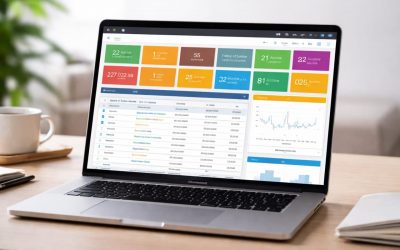
Browser-based, concurrent-licensed. Still accessed through a browser, still typically hosted by the vendor, but licensed by simultaneous connections rather than named accounts. If you have 40 staff but never more than 20 logged in at once, you license for 20. This tier sits between pure SaaS and full self-hosting. You get the convenience of browser access without paying for every individual who might one day need a login.
Self-hosted with a browser front end. The software runs on your own servers or through an ISP you choose, but the interface is still browser-based like the other two tiers. You control the infrastructure, the data location, and the upgrade schedule. In exchange, you take on the responsibility, or the cost of outsourcing it, that a vendor-hosted model absorbs for you.
The trade-off across all three tiers sits on the same axis: convenience versus control. Multi-tenant SaaS gives you the most convenience and the least control. Self-hosting reverses that. Concurrent-licensed browser access is genuinely the middle ground, not just marketing language for “SaaS, but nicer.” The licensing mechanism is structurally different.
Concurrent vs Named-User Licensing in Cloud Business Software
This is where “cloud-based” pricing pages get misleading, because two vendors can both say “cloud-based, from $X per user per month” and mean very different things.
Named-user licensing charges for every account that exists, whether or not that person logs in today. A 30-person company with a sales team that rotates through the CRM might have 45 named users on the books for 30 active seats.
Concurrent licensing charges for simultaneous connections instead. BME’s own pricing illustrates the mechanic directly: the Standard plan runs £44 per concurrent user per month (£528 billed yearly), and Premium runs £66 per concurrent user per month (£792 billed yearly), with hosting and support included in both. If your team of 40 typically has 25 people in the system at any given moment, you license for 25, not 40. For businesses with staggered shift patterns or a large part-time roster, that distinction alone can mean licensing for roughly half the named-user equivalent.
Neither model is universally cheaper. If your whole team logs in simultaneously for most of the working day, concurrent licensing offers little advantage over named-user pricing. The savings show up specifically when usage is staggered, which in practice describes more businesses than most licensing pages account for.
If you’re comparing this against a dedicated CRM or a standalone ERP tool priced per named user, the underlying math is the same principle applied differently. It’s worth reading alongside our ERP pricing guide if you’re weighing a point solution against an integrated suite.
Cloud-Based vs Perpetual Licensing: The Real Cost Curve
Subscription pricing and perpetual (one-time purchase) licensing aren’t really two different products. They’re two different ways of paying for the same access over time, and which one costs less depends entirely on your time horizon.
Take a 20-concurrent-user deployment as a worked example, using BME’s published figures rather than estimated ones. The perpetual licence for 20 concurrent users runs a one-time £32,000. Support in year one is a flat £995 regardless of user count. From year two, support runs at 15% of the licence value per year, £4,800 annually in this case. Add the licence to five years of support and the total comes to £52,195, which works out to roughly £43 per user per month averaged over 60 months.
Compare that to the equivalent monthly subscription. At £44/month for Standard, 20 users over five years comes to £52,800 before any annual increases, and subscription pricing rarely stays flat for five straight years.
The crossover point is the detail most vendor pricing pages skip. In year one, subscription is usually cheaper: no large upfront outlay, and the reduced first-year support flat rate under perpetual doesn’t fully offset the licence cost yet. By year three or four, the perpetual total typically pulls ahead, because you’ve stopped compounding a subscription fee and you’re only paying the lower ongoing support percentage. If you expect to run the same system for more than roughly three to four years, perpetual licensing is worth modeling seriously rather than defaulting to “cloud subscription” because it’s the lower number on day one.
This crossover point is also part of why perpetual licensing has quietly stayed relevant for warehouse management and other module-heavy deployments, where the system tends to stay in place for years rather than being swapped out annually.
What to Check Before You Buy Cloud Business Management Software
Beyond deployment model and licensing structure, a handful of practical questions determine whether “cloud-based” delivers what you expect.
Data residency and hosting location. Ask specifically where your data physically sits, not just “in the cloud.” Regulatory requirements in some industries and jurisdictions make this a compliance question, not a preference.
Exit and export terms. What happens to your data if you cancel? Can you export it in a usable format, or does the vendor’s format lock you in? This matters more with multi-tenant SaaS, where your data lives inside someone else’s infrastructure by default.
Module scope. Are you buying one function, invoicing say, or CRM, that you’ll need to integrate with three other point tools? Or a system that already covers sales, purchasing, stock, CRM, and reporting in one place? BME’s Standard plan, for instance, includes sales order processing, purchasing, stock control, CRM, quotations, and document management as one integrated system rather than as add-on modules billed separately. Premium adds project management, asset and service management, and reduced-rate integrated accounting. The fewer separate systems you’re stitching together, the fewer integration points that can break.
Browser and mobile compatibility. “Cloud-based” implies browser access, but confirm it actually works on the devices your team uses day to day, particularly if field staff need mobile access.
SLA and support structure. Standard support included versus advanced support with toll-free phone access and SLA guarantees is a real difference in what happens when something breaks at an inconvenient time.
Where BME Sits on the Ladder
BME has run across multiple points on this ladder simultaneously for over 30 years, rather than committing to one deployment model and writing marketing copy that favors it. The Standard and Premium plans are browser-based and concurrent-licensed, with hosting and support included, sitting in the middle tier described above. The perpetual licensing option sits at the self-hosted end, designed to run on your own servers or your chosen ISP, with support only starting once you go live rather than from the date of purchase.
What makes the pricing comparisons above possible at all is that the numbers are published rather than gated behind a “contact sales” form. The same £44/£66 concurrent-user rates and the full five-year perpetual cost tables shown here are live on BME’s pricing page, not estimates. If you want to run your own headcount and usage patterns through the same math, that’s the fastest way to see which model actually costs less for your specific team.
FAQ
Is cloud-based business software the same as SaaS?
Not exactly. SaaS is one specific type of cloud-based software: multi-tenant, subscription-billed, usually per named user. Cloud-based is the broader category. It also includes browser-based systems with concurrent licensing and, in some definitions, vendor-hosted self-managed deployments.
Is browser-based software the same as cloud-based?
Not necessarily. A system can be browser-based while running on infrastructure you own or control. Self-hosted with a browser front end is still browser-based, but it isn’t cloud-based in the sense of relying on third-party infrastructure.
Can cloud-based business management software be self-hosted?
The two terms are often used loosely enough to overlap, but strictly, “cloud-based” usually implies vendor-hosted infrastructure. A browser-accessible system running on your own servers is more accurately described as self-hosted, even though the user interface looks identical to a cloud-hosted version.
Is cloud-based software cheaper than perpetual licensing long-term?
It depends on your time horizon. Subscription models are typically cheaper in year one. Perpetual licensing tends to become cheaper somewhere around year three to four, once the one-time licence cost has been offset by avoiding several more years of subscription payments.
What’s the difference between concurrent and named-user licensing?
Named-user licensing charges per account that exists, active or not. Concurrent licensing charges per simultaneous connection, so a team with staggered login patterns can license for meaningfully fewer seats than their total headcount.